
UI Themes
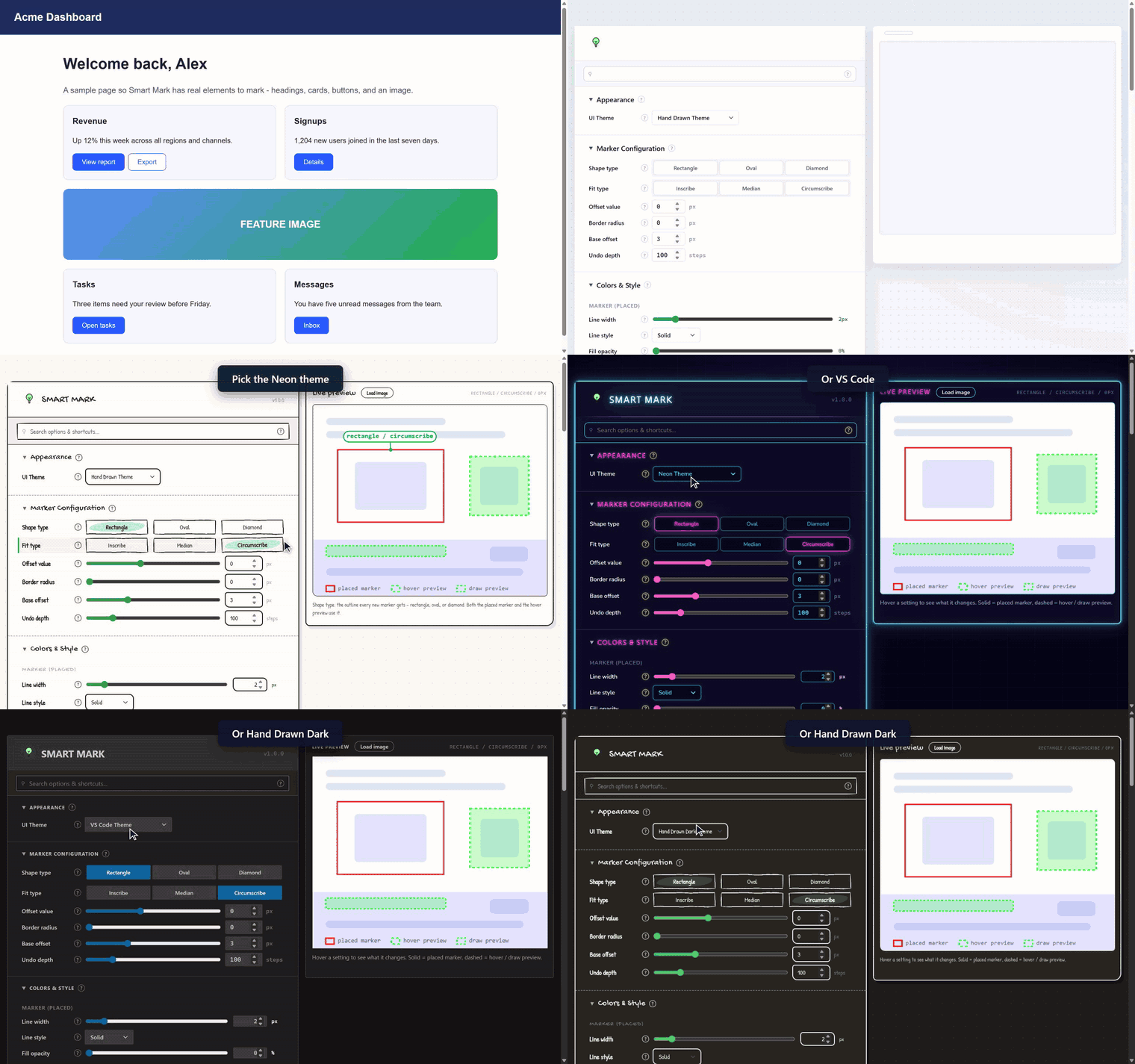
Change the look of the popup and the Options page. Six themes ship, light and dark. Markers on web pages look the same in all of them.
INFO
Available from Smart Mark 1.1.0. If your installed version is older, this feature arrives with the next Chrome Web Store update.
Before you start
- Open the Options page (
Ctrl + Alt + ,).
Step by step
- Open the Options page and expand Appearance.
- Pick a UI Theme: Hand Drawn (default), Hand Drawn Dark, AI Vibe, AI Vibe Dark, Neon, or VS Code.
- The popup and every open Options tab switch right away - no reload.
Tips
- A theme only restyles Smart Mark's own pages. Markers, toasts, and overlays on web pages are not affected.
- The theme is saved with your other settings, so a profile remembers it.
Shortcuts used here
| Keys | Action |
|---|---|
Ctrl + Alt + , | open the Options page where the theme select lives |
The combos above are the defaults; every one of them can be rebound on the Options page.